
This document describes Security Update for QuickTime 7.2, for Microsoft Windows. For the protection of our customers, Apple does not disclose, discuss, or confirm security issues until a full investigation has occurred and any necessary patches or releases are available. To learn more about Apple Product Security, see the Apple Product Security website. For information about the Apple Product Security PGP Key, see "How to use the Apple Product Security PGP Key." Where possible, CVE IDs are used to reference the vulnerabilities for further information. To learn about other Security Updates, see "Apple Security Updates." Security Update for QuickTime 7.2 QuickTime CVE-ID:
QuickTime 6.3 3GPP for Mac OS X (Jaguar) Download Requirements Operating System Mac OS X 10.2.3
Platform: Mac Issue: Some games may give an error on launch if a Minimum installation of QuickTime 4 is used. Workaround: Use the Full install option. Platform: Mac Issue: The default amount of memory allocated to a web browser on a Macintosh is often not enough to view streaming movies using the QuickTime 4 plug-in, and can sometimes result in system unresponsiveness. Workaround: If you want to watch streaming movies in your web browser program, you should increase the amount of memory allocated to it. Platform: Mac Issue: Using a Startup Movie that uses the Sorenson codec will cause an unimplemented trap error at startup. Workaround: Do
One possible issue is that QuickTime 4 introduced a new compression format for sound called "QDesign Music 2". Quicktime 3 does not support this new compression. Thus, if the movie file in question was created using the QDesign Music 2 compression format in QuickTime 4, then users of QuickTime 3 will be able to play the movie and see the video, but they will not hear any audio. If you have a Pro version of QuickTime, and you have a local copy of the movie, here is a way to verify if this is the case:Open the movie in
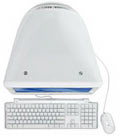 The Read Me included with the QuickTime Streaming Server incorrectly states the iMac can run Mac OS X Server. Mac OS X Server is supported on Power Macintosh G3, Macintosh G3 Server, and the Power Macintosh G3 All-In-One. It is not supported on the iMac or PowerBook G3.
Symptom Clicking the tabs at the bottom of the Starting Points window does not change tabs as expected. Products affected AppleWorks 6.2 for WindowsQuickTime 6 for Windows Solution This issue occurs after installing QuickTime 6 for Windows. There are three methods to work around this issue: Method 1 If you are using Windows 98 or later, update to QuickTime 6.4 or later (http://www.apple.com/quicktime/download). Method 2 If you are using Windows 95, uninstall QuickTime 6 and reinstall QuickTime 5. Method 3 If you are using Windows 95 and do not want to reinstall QuickTime 5, right-click on the Starting Points window (not the tabs, but the
QuickTime 6.3 for Windows Download Requirements Operating System Win/98/NT/ME/2000/XP Software
When exporting from QuickTime Player, QuickTime works with up to 16-bit audio as input for any of its encoders including the Apple Lossless encoder. If a file contains 32- or 24-bit audio input, it will be reduced to 16-bit audio and then run through the encoder. When decoded on playback, the 16-bit audio stream is reproduced.
If your file is in Mobile MP4 or EZmovie format, you can restrict distribution so that a file can't be sent or copied anywhere else once it is on a handset With either of the two EZmovie formats, you can specify how many times the file can play on the handset once downloaded, or make the file expire after a certain number of days or on a certain date. Note: The "Allow transfer" pop-up menu has only one option, "No transfer allowed." With the 3GPP2 (EZmovie) format, the "Fragment movie" option is activated and hard-set to 15 second fragments. Fragmenting enables the
If you use any version of Mac OS X 10.2 and require QuickTime Java support for Java 1.3 or Java 1.4.1, do not upgrade to QuickTime 6.4. If you have installed QuickTime 6.4 and need support for Java 1.3.1, you can reinstall QuickTime 6.3. A link to the QuickTime 6.3 Reinstaller is available in "QuickTime Reinstaller 6.3 for Mac OS X: Information and Download". This document will be updated when more information becomes available.
If your computer gives you this message each time it starts up, you have two copies of the QuickTime extension somewhere in your System Folder. You may have one in the Extensions folder and one loose in the System Folder. You may have two different versions of the QuickTime extension or two copies of the QuickTime extension that are the same version, but are named differently residing in your Extensions folder of your System Folder. Try these two procedures to make sure you have only one copy of QuickTime in your System Folder: Procedure 1 =========== Step 1 ------ Open your System Folder. Step 2 ------ Click
Issue or symptom In Final Cut Pro 6.0.1, if you attempt to load an H.264 clip into the Viewer, the clip might not be shown and a "General Error" message may appear. Affected Products: Final Cut Pro 6.0.1 H.264 format media files QuickTime 7.1.6 Solution Download and install QuickTime 7.2 or later. If your Final Cut Pro system is connected to the Internet, you can update QuickTime by choosing Software Update from the Apple menu.
Using MSCONFIG to troubleshoot conflicts in Windows Vista is discussed in this article.
Before you install QuickTime for Windows, make sure that no other user on your computer has QuickTime Player open. If another user account has QuickTime Player open while you attempt to install QuickTime, the installation won't work and QuickTime Player will not be installed properly.To prevent this, do one of the following before installing QuickTime:Logout all other users.Quit QuickTime Player in all logged in user accounts. Restart the computer. This document will be updated as more information becomes available.
This document describes the security content of QuickTime 7.1.6, which can be downloaded and installed via Software Update preferences, or from Apple Downloads.